> ## Documentation Index
> Fetch the complete documentation index at: https://nango-marcin-nan-6306-mcp-tool-connections-get.mintlify.site/llms.txt
> Use this file to discover all available pages before exploring further.
# Toggl Track - How do I link my account?
# Overview
The [Toggl Track API](https://developers.track.toggl.com/docs/introduction) authenticates with **HTTP Basic Auth**. Nango stores a username and password pair that map to one of two supported combinations:
1. **Email and password** — `username` is your Toggl Track account email and `password` is your account password.
2. **API token** — `username` is your [personal API token](https://track.toggl.com/profile) and `password` must be the literal string `api_token`.
This guide explains how to obtain credentials and enter them in the Connect UI.
### Prerequisites
* A [Toggl Track](https://track.toggl.com/) account
#### Step 1: Choose email/password or API token
**Option A — Email and password**
Use the same email and password you use to sign in to Toggl Track.
**Option B — API token (recommended for integrations)**
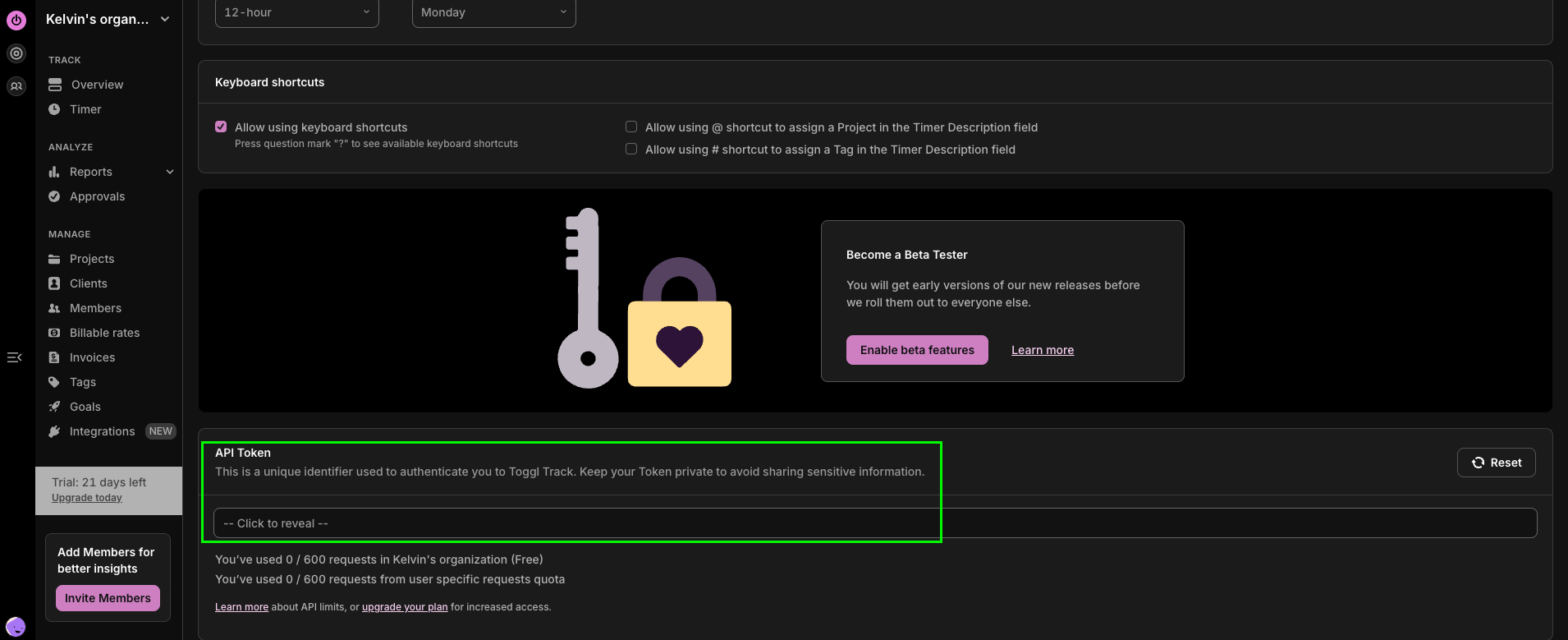
1. Sign in to Toggl Track and open your [profile](https://track.toggl.com/profile).
2. Find your **API token** (personal token) and copy it.
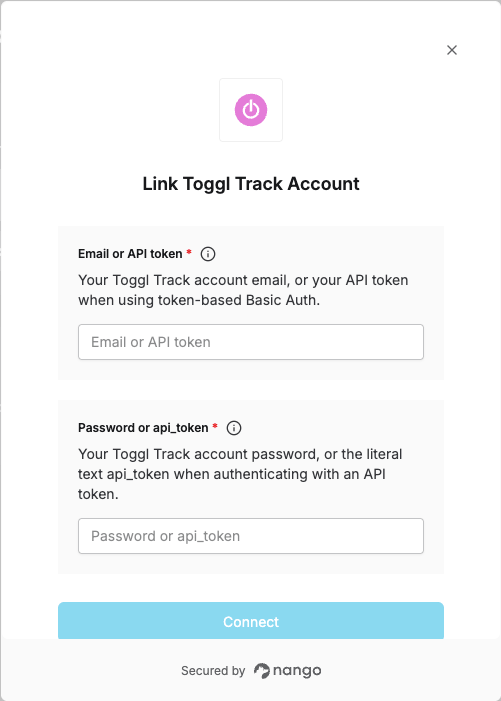
 3. In Nango, set **Email or API token** to the token value.
4. Set **Password or api\_token** to exactly `api_token` (the word `api_token`, not your account password).
Using an API token avoids storing your main account password and can be rotated independently. See [Toggl’s authentication documentation](https://developers.track.toggl.com/docs/authentication).
#### Step 2: Enter credentials in the Connect UI
1. Open the form where you need to authenticate with Toggl Track.
2. Enter **Email or API token** and **Password or api\_token** as described above.
3. Submit the form, and you should be successfully authenticated.
3. In Nango, set **Email or API token** to the token value.
4. Set **Password or api\_token** to exactly `api_token` (the word `api_token`, not your account password).
Using an API token avoids storing your main account password and can be rotated independently. See [Toggl’s authentication documentation](https://developers.track.toggl.com/docs/authentication).
#### Step 2: Enter credentials in the Connect UI
1. Open the form where you need to authenticate with Toggl Track.
2. Enter **Email or API token** and **Password or api\_token** as described above.
3. Submit the form, and you should be successfully authenticated.
 You are now connected to Toggl Track.