> ## Documentation Index
> Fetch the complete documentation index at: https://nango-marcin-nan-6306-mcp-tool-connections-get.mintlify.site/llms.txt
> Use this file to discover all available pages before exploring further.
# Google Ads - How do I link my account?
# Overview
To connect your Google Ads account, you'll sign in with Google. Depending on how this integration is set up, you may also be asked for:
1. **Manager Account Customer ID** (optional) - The Customer ID of the Google Ads manager (MCC) account used to access your account, if your account is managed through one.
### Prerequisites:
* You must have a Google Ads account.
### Instructions:
#### Step 1: Finding your Manager Account Customer ID
You'll only see this field if the app you're connecting hasn't already fixed a manager account for every user. If you don't access your Google Ads account through a manager (MCC) account, leave this field blank.
If you do use a manager account:
1. Sign in to [Google Ads](https://ads.google.com/).
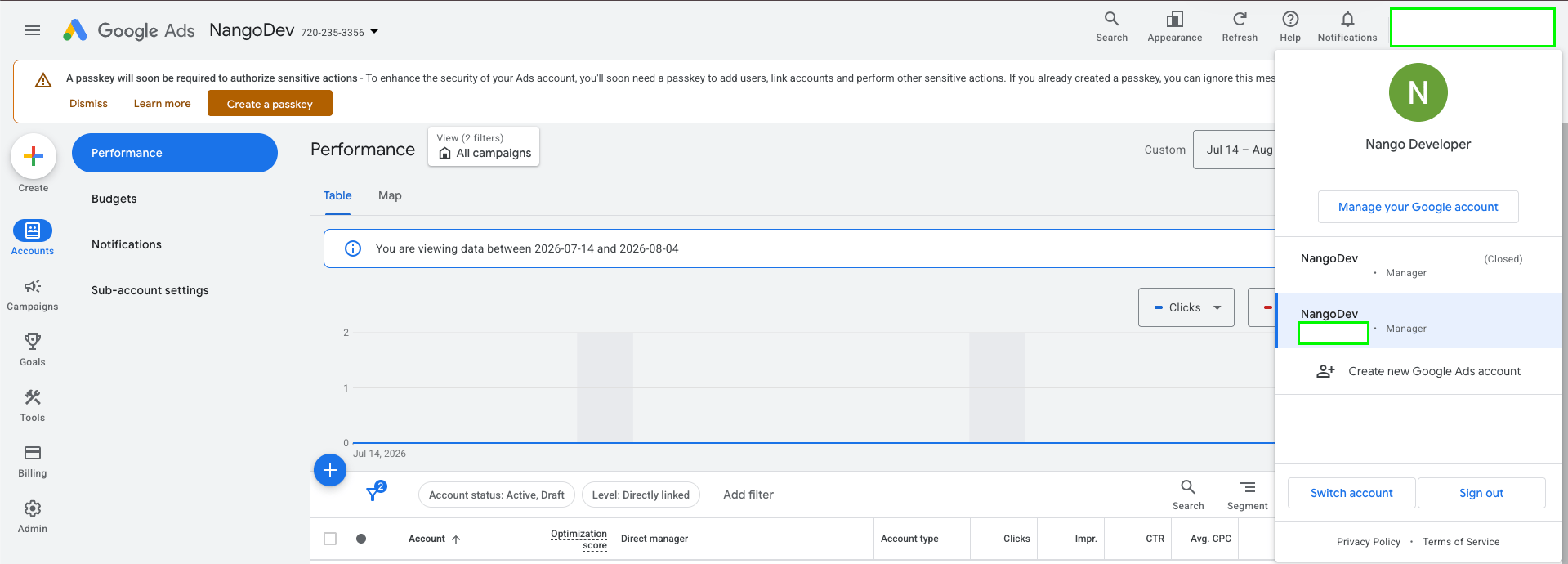
2. Click your profile picture in the top-right corner. Your linked manager accounts and their Customer IDs are listed there.
3. Alternatively, if you're currently viewing your account through its manager account, click the account switcher in the top-left corner — the manager account's Customer ID is shown next to its name.
4. Copy the Customer ID (formatted like `123-456-7890`) and enter it without hyphens.
 #### Step 2: Authorize with Google
1. Open the form where you need to authenticate with Google Ads.
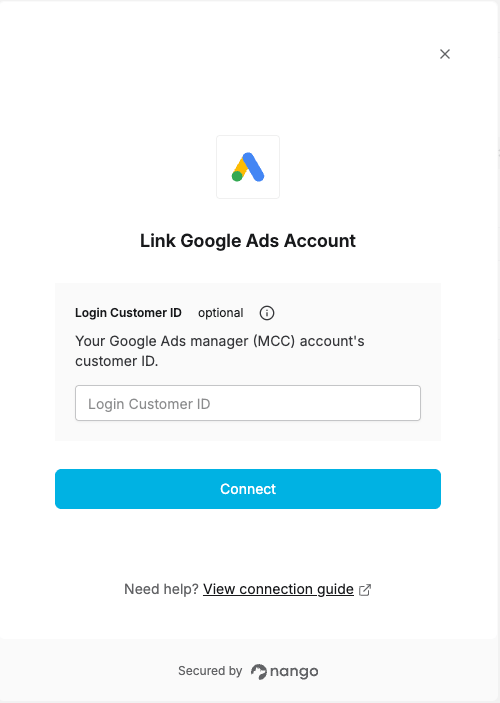
2. Enter your Manager Account Customer ID if you were asked for one, or leave it blank otherwise.
3. Submit the form, then log in to Google and approve access.
#### Step 2: Authorize with Google
1. Open the form where you need to authenticate with Google Ads.
2. Enter your Manager Account Customer ID if you were asked for one, or leave it blank otherwise.
3. Submit the form, then log in to Google and approve access.
 You are now connected to Google Ads.