> ## Documentation Index
> Fetch the complete documentation index at: https://nango-marcin-nan-6306-mcp-tool-connections-get.mintlify.site/llms.txt
> Use this file to discover all available pages before exploring further.
# Adyntel - How do I link my account?
# Overview
To authenticate with Adyntel, you need:
1. **API Key** — A key that grants Nango permission to interact with the Adyntel API.
2. **Email** — The login email address for your Adyntel account.
This guide will walk you through obtaining your API key from Adyntel.
### Prerequisites
* An active Adyntel account with API access.
### Step 1: Obtain your API key
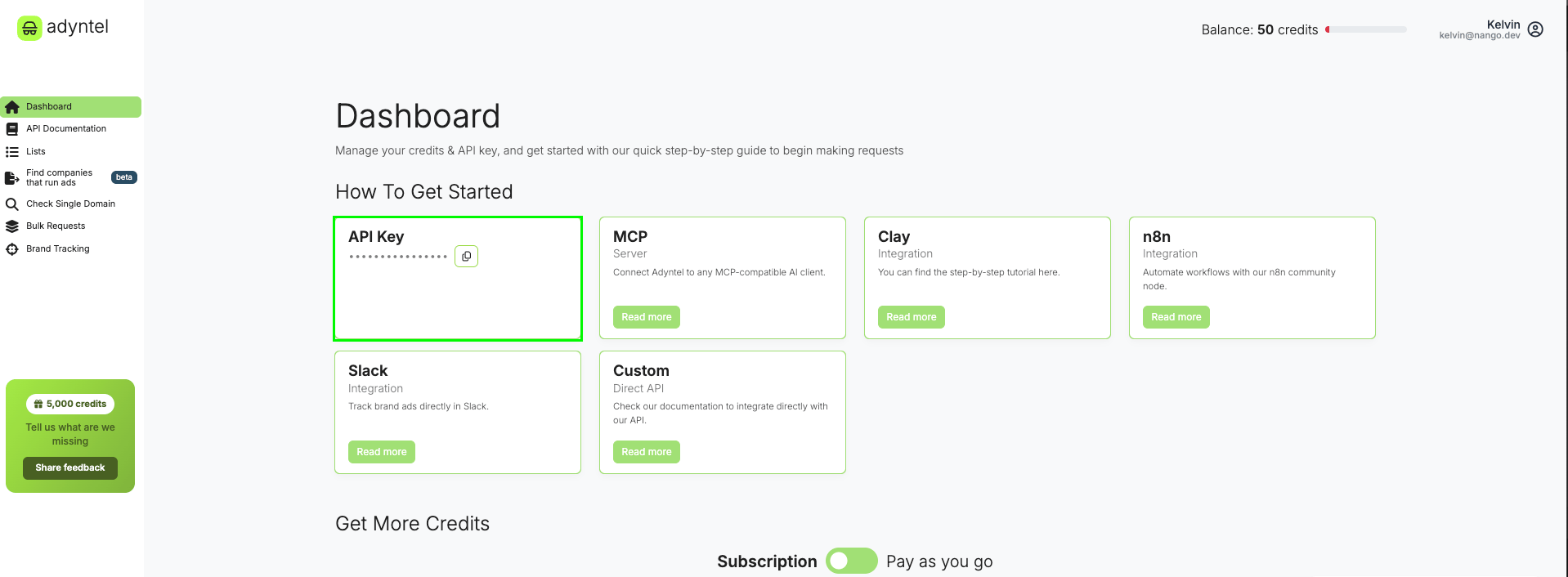
1. Log in to your [Adyntel](https://platform.adyntel.com/dashboard) dashboard.
2. Your API key is displayed on the dashboard.
 ### Step 2: Find your email address
Use the email address you registered with on Adyntel. This is the same email you use to log in to the [Adyntel dashboard](https://platform.adyntel.com/dashboard).
### Step 3: Enter credentials in the Connect UI
Once you have your API key:
1. Open the form where you need to authenticate with Adyntel.
2. Enter your **API Key** in the designated field.
3. Enter the **Email** address you use to log in to Adyntel.
4. Submit the form, and you should be successfully authenticated.
### Step 2: Find your email address
Use the email address you registered with on Adyntel. This is the same email you use to log in to the [Adyntel dashboard](https://platform.adyntel.com/dashboard).
### Step 3: Enter credentials in the Connect UI
Once you have your API key:
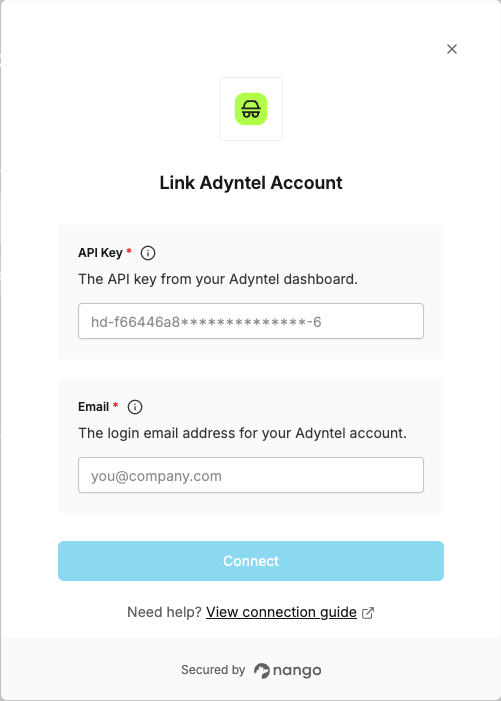
1. Open the form where you need to authenticate with Adyntel.
2. Enter your **API Key** in the designated field.
3. Enter the **Email** address you use to log in to Adyntel.
4. Submit the form, and you should be successfully authenticated.
 You are now connected to Adyntel.